


You're in a hotel room, at an airport gate, or parked outside the office, and the charging cable in your bag has turned into a tight knot around your earbuds. A USB cable retractable design solves that specific nuisance by storing the wire inside a compact housing instead of leaving a loose length to tangle.
The convenience is real, but it isn't free. A retractable cable adds a spring drum, locking mechanism, strain relief, and extra connector joints to a product that otherwise could be a simple fixed wire. The right choice depends on whether you value tidy portability more than maximum charging power, advanced data transfer, or the simplest possible construction.
Table of Contents
- What Makes Retractable USB Cables Useful
- How Retractable USB Cable Designs Work
- Connector Types, Data Speeds, and Charging Limits
- Durability, Cycle Ratings, and Real-World Trade-Offs
- Best Travel and Daily-Use Scenarios
- How to Choose a Reliable Retractable USB Cable
- Conclusion and Key Takeaways
What Makes Retractable USB Cables Useful
A retractable USB cable earns its place when you carry charging gear repeatedly. In a backpack, the cable stays contained. In a glove box, it's less likely to wrap around other objects. On a desk, you can pull out only the length you need and keep the remainder inside the housing.
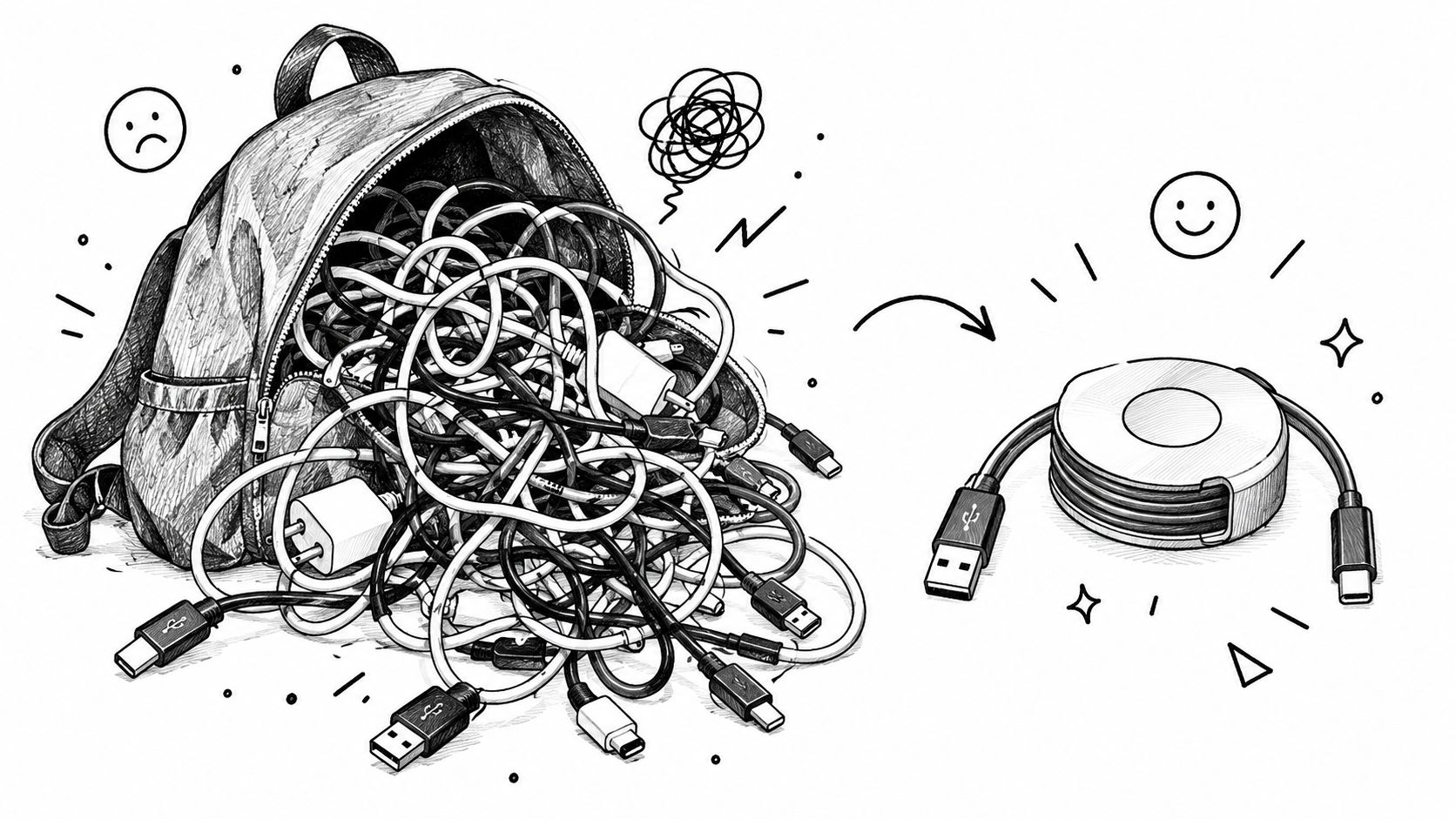
The main benefits are practical:
- Reduced tangling: The cable doesn't need to lie loose in a pouch or drawer.
- Cleaner storage: A compact housing protects most of the cable from contact with other items.
- Adjustable reach: You can extend enough cable for a phone on a nightstand or a device in a car without managing excess wire.
- Lower carry friction: A short, organized accessory is easier to find than a conventional cable buried under adapters and chargers.
That makes retractable models especially useful for phones, earbuds, watches, small USB accessories, and moderate-power travel charging. They're less compelling when a device needs sustained high-wattage power or fast data transfer, because the mechanism introduces design compromises that a fixed cable can avoid.
Practical rule: Buy a retractable cable for organization first, then confirm that its electrical specifications match your device.
The USB cable market itself is broad rather than niche. It was valued at US$21.9 billion in 2024 and is projected to reach US$58.2 billion by 2030, with a projected 17.7% CAGR, according to Research and Markets' USB cable market data. Retractable cables compete within that larger accessory category because many people now want one compact cable for daily carry.
Before buying, check four things: the connector combination, charging rating, data speed, and stated cycle life. A cable that looks neat in product photography can still charge slowly, transfer data at USB 2.0 speeds, or develop retraction problems if those details are missing.
How Retractable USB Cable Designs Work
Most retractable USB cables use a spring drum or spool. The cable wraps around the drum inside the housing, much like the blade inside a tape measure. Pulling the connector outward rotates the spool and loads the spring. Releasing the lock lets the stored spring tension pull the cable back into the case.
A ratchet mechanism controls the usable length. It lets the cable stop at selected positions instead of immediately snapping back, then releases when you pull or adjust it in the appropriate direction. The exact action varies by design, but the purpose is consistent: hold the cable at a practical reach, then rewind it when you're finished.
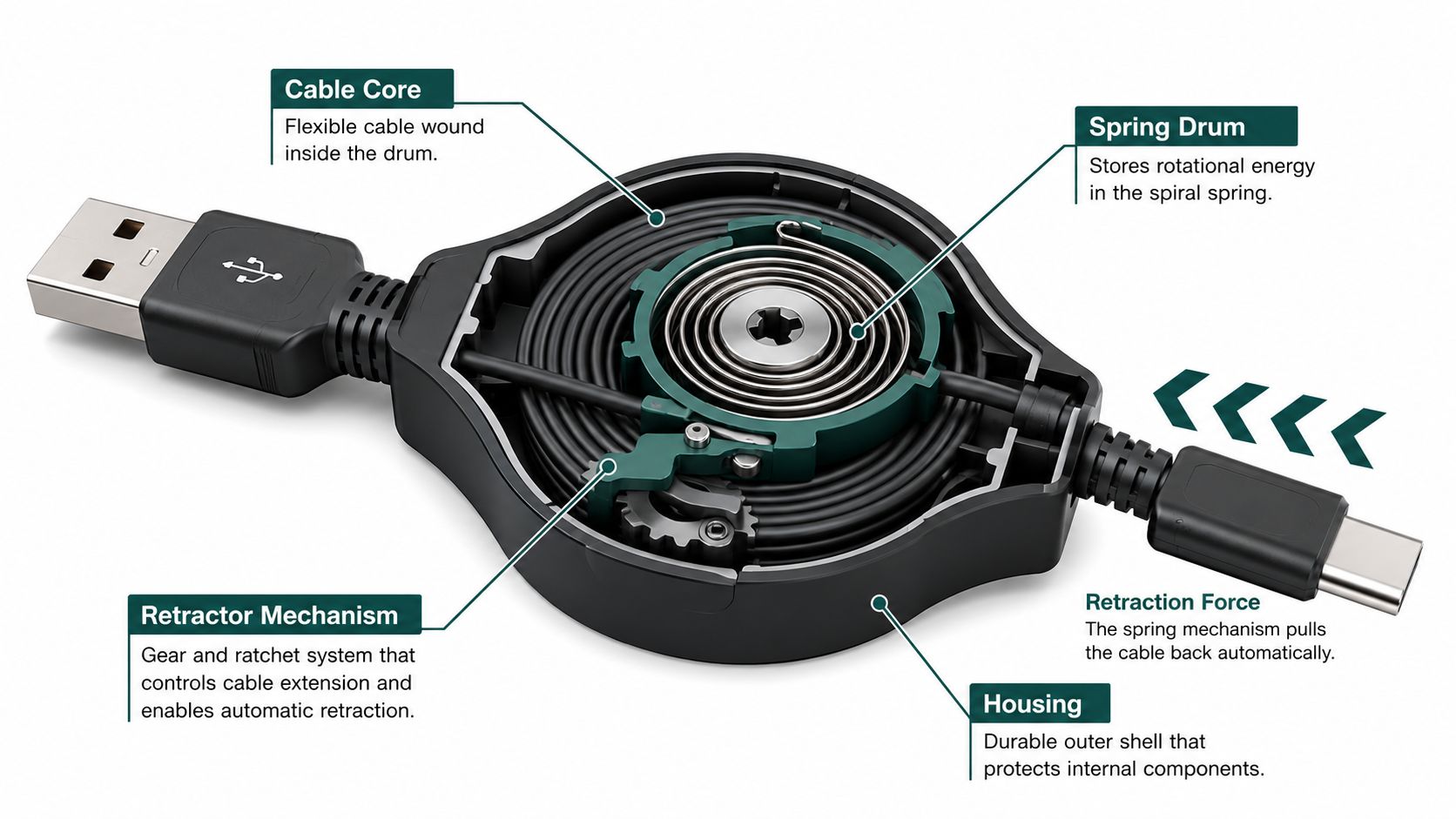
The housing does more than make the product look compact. It shields the wound section and helps guide the cable through the exit slit. That exit point is exposed to repeated bending, so its shape and strain relief matter. A poorly supported cable can flex sharply where it leaves the case, while a well-designed one spreads the bend over a longer transition.
What you feel during everyday use
Retractors differ noticeably in handling. A stiff mechanism may resist extension and require more effort to set the length. A spring with excessive tension may pull aggressively, putting extra stress on the connector or causing the cable to retract before you've positioned it.
A good design feels controlled in both directions. The cable should extend without scraping, lock without excessive play, and rewind without slamming the connector into the housing. The connector joint also needs support because it receives movement every time the cable is pulled, locked, and stored.
The retractable cable mechanism guide describes the typical arrangement as a spring drum or spool paired with a ratchet that locks the cable at set lengths and retracts it into the housing when released. That simple description explains why the product is compact, but it also points to the main risk: there are more moving and stressed parts than in a fixed cable.
You can see the principle in motion here:
The likely trouble spots are the exit slit, spring drum, ratchet, strain relief, and connector joints. Understanding those parts helps you judge construction by feel and specifications rather than by the promise of “tangle-free” storage alone.
Connector Types, Data Speeds, and Charging Limits
The connector determines compatibility, but it does not reveal the cable's full capability. Retractable models commonly use USB-A to USB-C, USB-C to USB-C, or USB-A to Micro-USB. Match both ends to the charger and device. An adapter changes the plug shape, not the cable's conductors, shielding, or supported protocols.
USB-C supports charging, data, audio, and video only when the cable and connected devices support those functions. USB 1.0 established a 12 Mbps maximum transfer rate, USB 2.0 raised that ceiling to 480 Mbps, and USB-C introduced a smaller reversible connector. The broader market progression is outlined in KBV Research's USB cable market overview, while the USB Implementers Forum maintains the relevant specification documents and standards history.
Data performance is often the quiet compromise
Many retractable cables use USB 2.0 wiring. That is adequate for charging phones, syncing devices, connecting basic peripherals, and transferring ordinary files. It is unsuitable for the performance expected from USB 3.x storage or other high-bandwidth equipment unless the listing explicitly states otherwise.
A USB-C plug does not prove video support. DisplayPort Alternate Mode depends on the cable's internal conductors, shielding, identification electronics, and compatibility with the host and display. A retractable housing can also make high-speed construction harder because the conductors must tolerate repeated bending and winding.
High-wattage claims require more than a large number
USB-C Power Delivery, or PD, controls higher-power charging. A 60 W or 100 W claim should identify PD support and an E-Marker chip, which communicates the cable's safe operating capability to the charger and device. The retractable USB-C cable buying guide associates 28 AWG conductors with currents up to 3 A, while 24 AWG or thicker conductors are preferred for 5 A-class operation.
The same guidance reports that some inexpensive retractable cables sold as 100 W may provide only about 30–40 W before thermal throttling. Treat the printed wattage as a specification to verify. Check the current rating, E-Marker status, PD profile, and conductor gauge rather than relying on the connector or package headline.
For a Huawei-compatible setup with smart-chip recognition and a visible charging light, the Intelligent Auto Unplug Charger with Smart Chip is a separate charger option. Its features do not prove that a connected retractable cable supports high-wattage PD.
These cables suit everyday top-ups, but laptop charging places greater demands on conductor size, heat control, and PD negotiation. Verify the charger, device, cable current rating, and supported PD profile as one system.
Durability, Cycle Ratings, and Real-World Trade-Offs
A fixed USB cable has few mechanical parts. A retractable model adds a drum, spring, ratchet, exit guide, and moving cable sections. That extra complexity creates more opportunities for wear, even though the design may protect the cable from tangling during storage.
A common retractable specification pairing is USB 2.0, 28 AWG data conductors, 24 AWG power conductors, a maximum of 5 V and 2.1 A, according to technical guidance on retractable USB cable trade-offs. That combination points toward low- to moderate-power charging rather than sustained high-wattage delivery.
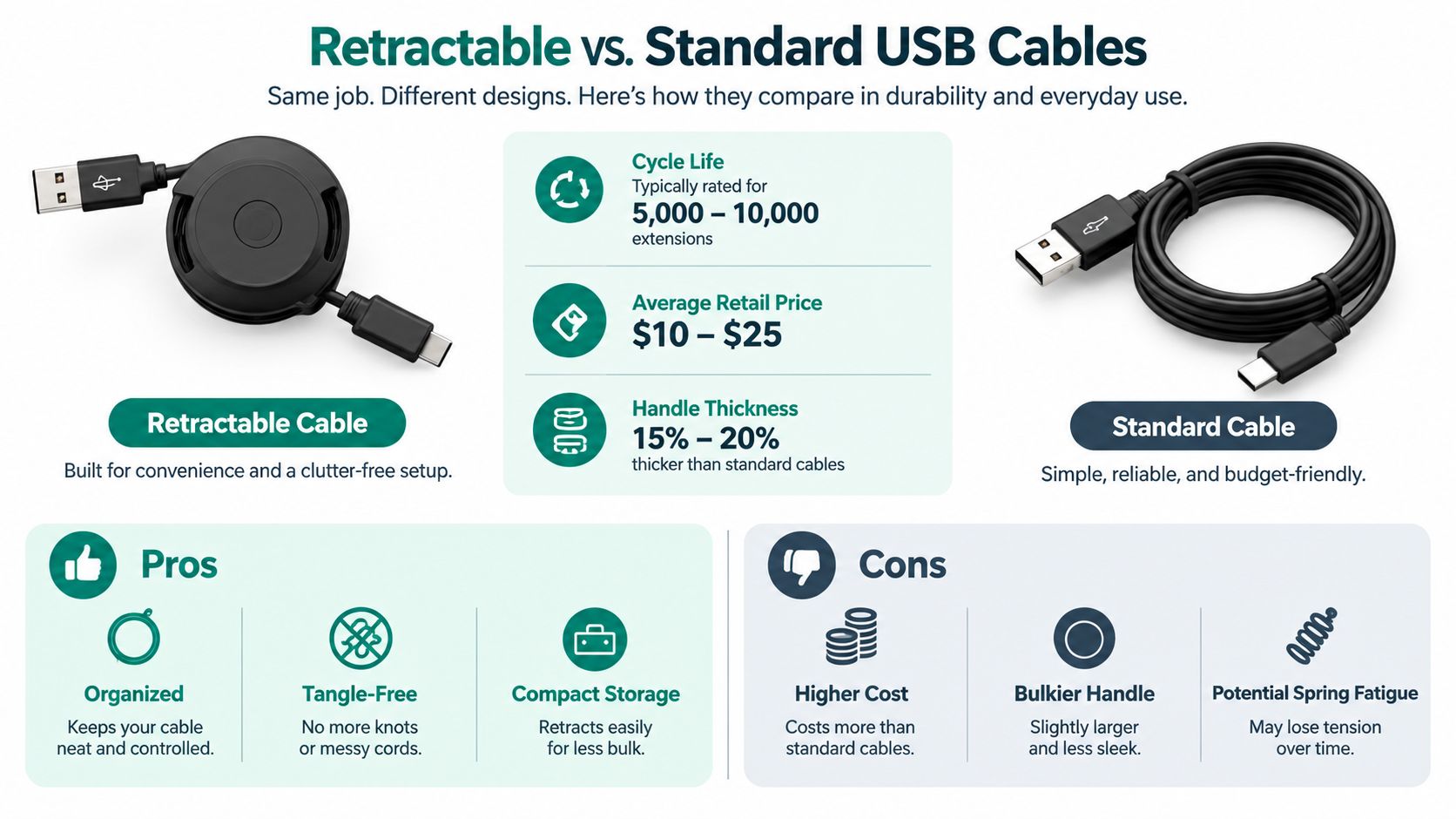
The shorter effective conductor length can help limit voltage drop, and the thicker power conductors help manage heat. Those electrical advantages don't remove the mechanical failure points. The spring drum, strain relief, and connector joints still experience repeated movement.
How to interpret a cycle rating
A cycle means a full extension and retraction, not merely plugging the cable into a device. Buying guidance and independent listings commonly cite 5,000 or more pulls, with spring-drum designs often targeting roughly 5,000–8,000 full cycles. The rating is useful only when the manufacturer explains what it tested and how.
Retraction force also matters. Designs commonly engineer fixed-end retention and retraction force around 1.5–2.5 N, balancing dependable rewinding against connector stress. Too little force can leave slack inside the housing. Too much can yank the plug, strain the port, or make the cable unpleasant to position.
| Feature | Retractable cable | Standard fixed cable |
|---|---|---|
| Storage | Compact and contained | Requires coiling or a strap |
| Mechanical complexity | Spring drum and locking parts | Minimal moving hardware |
| Length control | Adjustable | Fixed |
| Typical weakness | Retraction system and cable exit | Bend points and connector strain |
| Best fit | Travel, cars, desks, everyday carry | High-power or specialized data use |
Watch for practical warning signs. Inconsistent rewinding, a cable that no longer locks, a loose connector, visible sheath damage, or slower charging can indicate wear. Don't force a retractable cable to rewind while the plug is caught on furniture or luggage. Guide it straight, keep the exit point aligned, and avoid pulling from an angle.
Best Travel and Daily-Use Scenarios
A retractable cable is most useful when the charging task is short, repeated, and mildly inconvenient. On a flight, it can connect a phone to a power bank without leaving a long coil across the tray table. In a car, the housing keeps spare cable out of the cup holder. At a desk, you can pull out only enough length to reach a phone stand.
Small devices are particularly good matches:
- Earbuds and smartwatches: These usually need compact charging arrangements rather than long, high-power runs.
- Phone top-ups: A retractable cable is convenient when you're moving between a wall charger, power bank, and hotel nightstand.
- Portable accessories: Small USB-powered lights, fans, or humidifiers can benefit from adjustable reach.
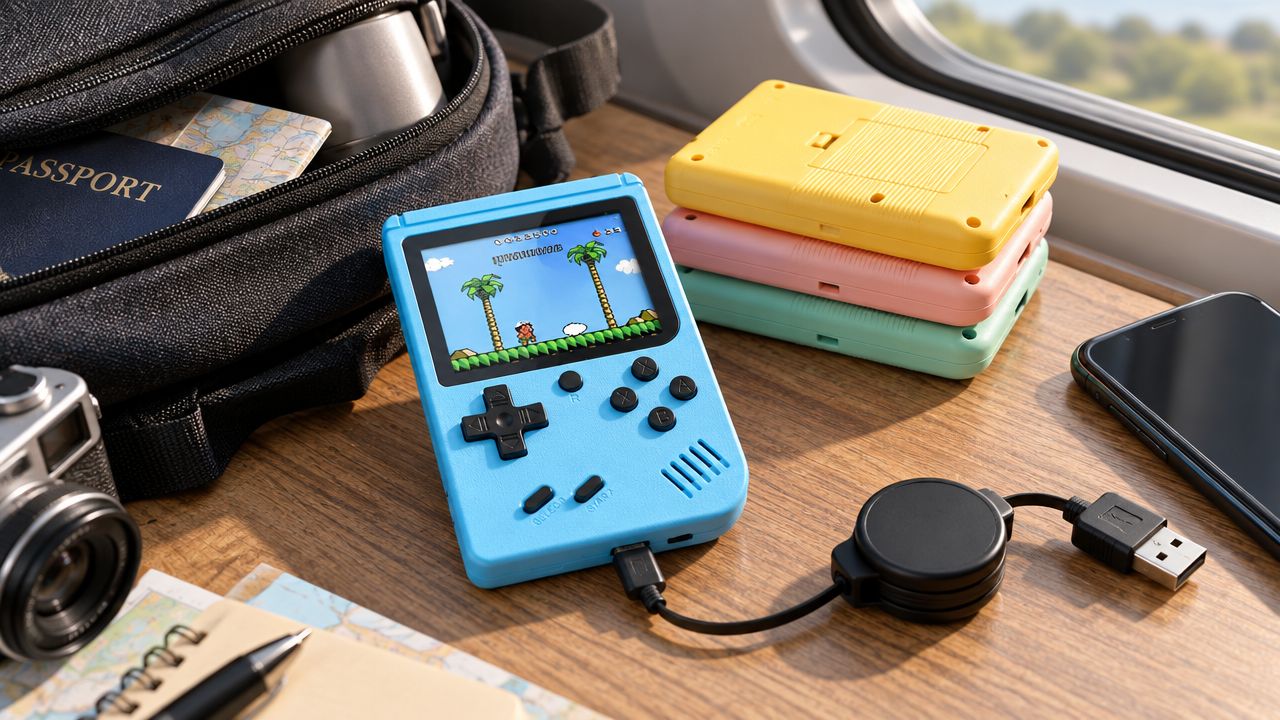
- Handheld gaming devices: A compact cable works well for travel charging when the console's requirements are modest and the connector matches.
For example, the 400 In 1 MINI Games Handheld Game Players uses a Mini USB charging interface, has a 2.4-inch color display, and includes a 1020 mAh battery. Those specifications make connector matching essential. A USB-C retractable cable won't connect directly unless the setup includes a suitable, compatible connection, and adding adapters can defeat the simplicity that makes retractable storage useful.
Situations where fixed cables win
A retractable cable is a poor default for sustained laptop charging, high-power tool batteries, or demanding data transfers. Those tasks benefit from clearly documented conductors, substantial shielding, stable connectors, and enough thermal headroom. A fixed cable also avoids the repeated bending and retraction that can eventually affect a spool assembly.
The same applies to setups that need permanent reach. If a cable stays behind a desk, under a monitor, or beside a bed, adjustable storage may add bulk without solving a real problem. Use a retractable model where the cable travels frequently, not only because the housing looks tidy.
A compact cable is convenient only when its connector and power rating fit the device you actually carry.
How to Choose a Reliable Retractable USB Cable
A reliable choice starts with the device you carry, not the cable's housing or color. Identify the connector, charging requirement, and data function first. Then check whether the retractable mechanism can deliver those requirements without hiding weak conductors or fragile cable exits.
Check the specifications in this order
- Connector combination: Confirm USB-A to USB-C, USB-C to USB-C, Micro-USB, or another required arrangement. A reversible plug does not make every cable universal, and adapters can introduce another failure point.
- Power rating: Look for voltage, current, and wattage rather than a vague fast-charge promise. For USB-C claims of 60 W or 100 W, confirm explicit PD support and an E-Marker chip. A high wattage label without current information is incomplete.
- Conductor gauge: Ask the seller to provide the AWG values in writing. If a listing only says “heavy duty,” treat its power claim as unverified. Gauge information should match the intended load, and a retractable cable should also provide enough thermal headroom for repeated charging.
- Data speed: USB 2.0 may cover charging and basic syncing. Choose a cable that explicitly identifies USB 3.x or video support when you plan to move files quickly or connect a display. A USB-C connector alone does not confirm either capability.
- Cycle rating: Prefer a published pull, extension, or retraction rating. Examine how the cable locks and rewinds, because a strong spring can strain the connector when the housing reaches the end of its travel. A durability claim without a test basis provides little usable evidence.
- Cable length and locking: Check the usable extension and the number of locking positions. A short cable can force tension at the port, while an aggressive rewind can pull a phone or power bank from place. Smooth movement and a supported cable exit matter as much as the stated length.
| Specification | What to Look For |
|---|---|
| Connector | Exact source and device plug types |
| Power | Voltage, current, wattage, and PD details |
| E-Marker | Required for higher-current USB-C PD claims |
| Conductor gauge | AWG values and seller verification |
| Data | USB 2.0, USB 3.x, or video support stated clearly |
| Cycle rating | Published extension and retraction target |
| Mechanism | Smooth lock, controlled rewind, supported cable exit |
| Length | Usable reach for your bag, car, desk, or bedside |
Reject listings with a large wattage claim but no current rating, no E-Marker information, missing data specifications, or photos that conceal the connector and housing details. A lower-cost cable may suit earbuds or a power bank. It should not be treated as a laptop cable until its electrical specifications and mechanical behavior are documented.
Conclusion and Key Takeaways
A retractable USB cable earns its place in a travel kit by controlling slack and reducing tangles. The same housing adds wear at the spring drum, locking mechanism, cable exit, and connector joints. Inspect those parts, not only the advertised length.
For phones, earbuds, watches, small USB devices, and moderate-power charging, choose a model with compatible plugs and a documented current rating. USB-C charging claims also require PD support, E-Marker information where applicable, and a stated conductor gauge. A large wattage label alone proves little. For sustained laptop power or demanding data, a fixed cable with clear specifications is often the safer choice.
Before buying, write down the connector, wattage, and data speed your main device needs. Use that list to screen every listing, then check the cable's cycle rating and rewind behavior. The broader market context is covered by KBV Research. Compact formats remain useful when convenience matters, but documented limits should decide.
Zenvora offers practical small electronics and everyday accessories for organized travel setups. Visit Zenvora to review current products against your devices' requirements.
Made with Outrank app